Parents and caregivers
Keep the needs of adults, children and pets together, including the contacts and supplies you would want to find quickly.
SafePathApp
Prepare your household before an emergency. Keep family plans, supplies, contacts and available local hazard information together in SafePathApp.
An iPhone app by Tehmina Tajik for families who want to prepare and stay informed.
SafePathApp supplements official alerts. Follow local authorities and emergency services; data can be delayed or unavailable. Sources and coverage
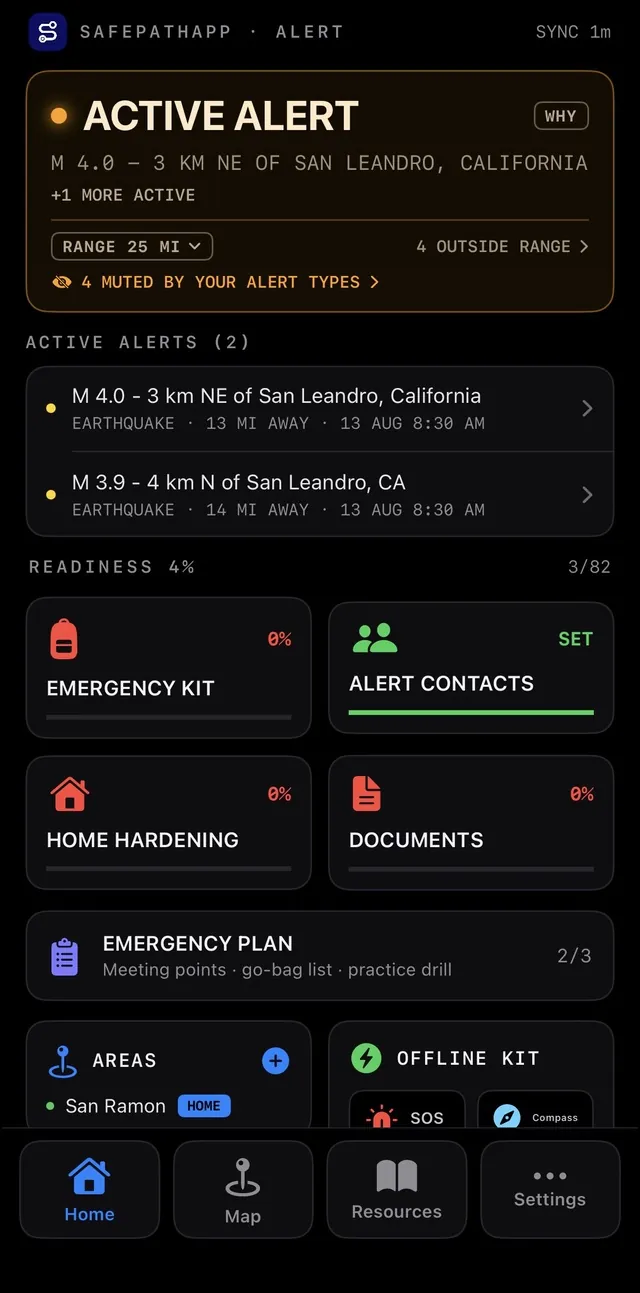
A captioned tour of eight recorded SafePathApp screens, covering alerts, maps, checklists and preparedness resources.
75-second screenshot tour · captions on screen · no audio
Review your household readiness and available local alerts. These recorded readings are examples, not current conditions.
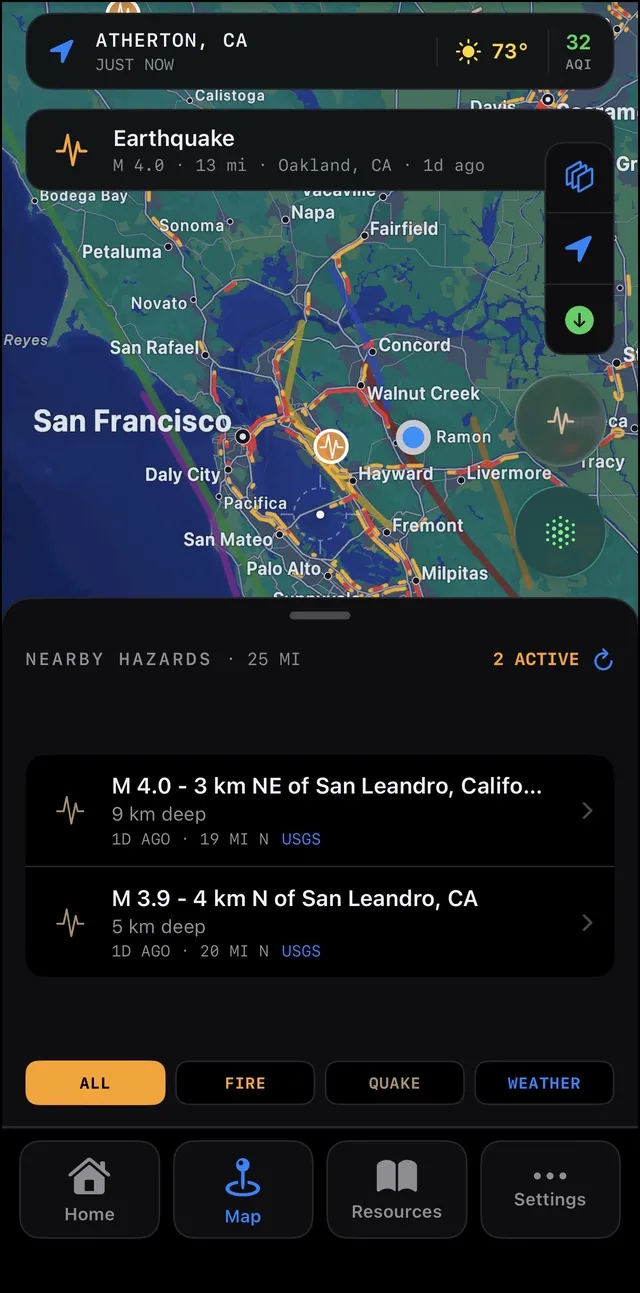
Explore where a reported hazard is located. Check its source and timestamp before using the information.
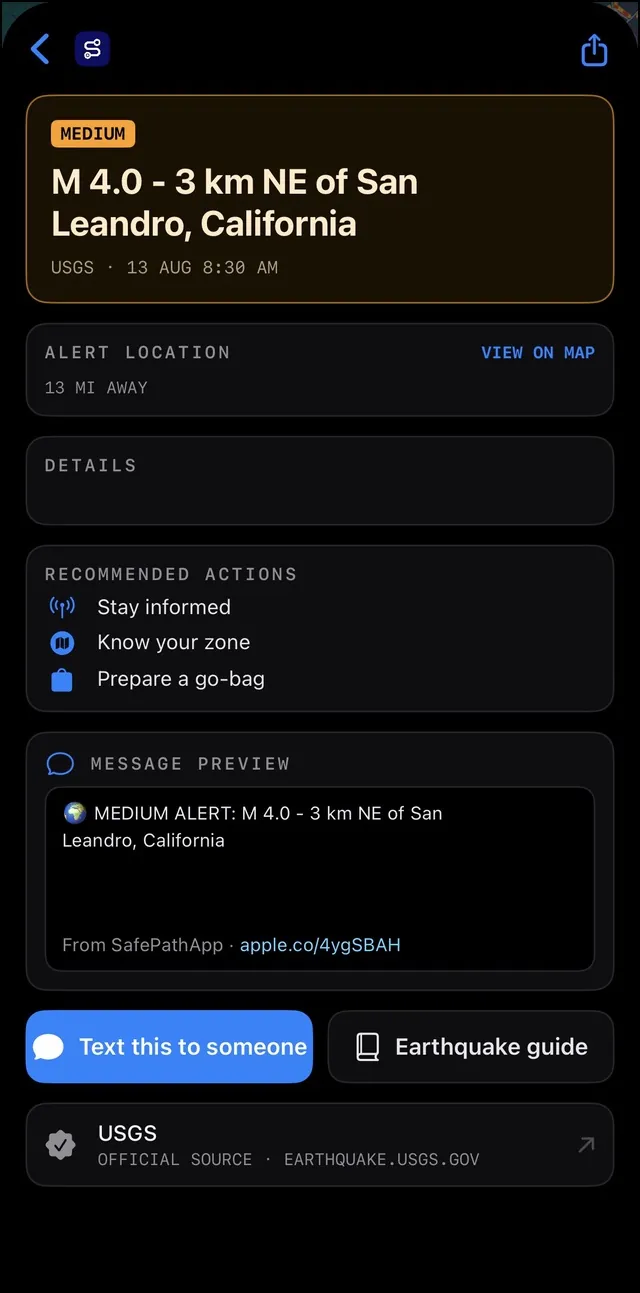
Open an alert for the available detail and guidance. Keep official local alerts and instructions as your authority.
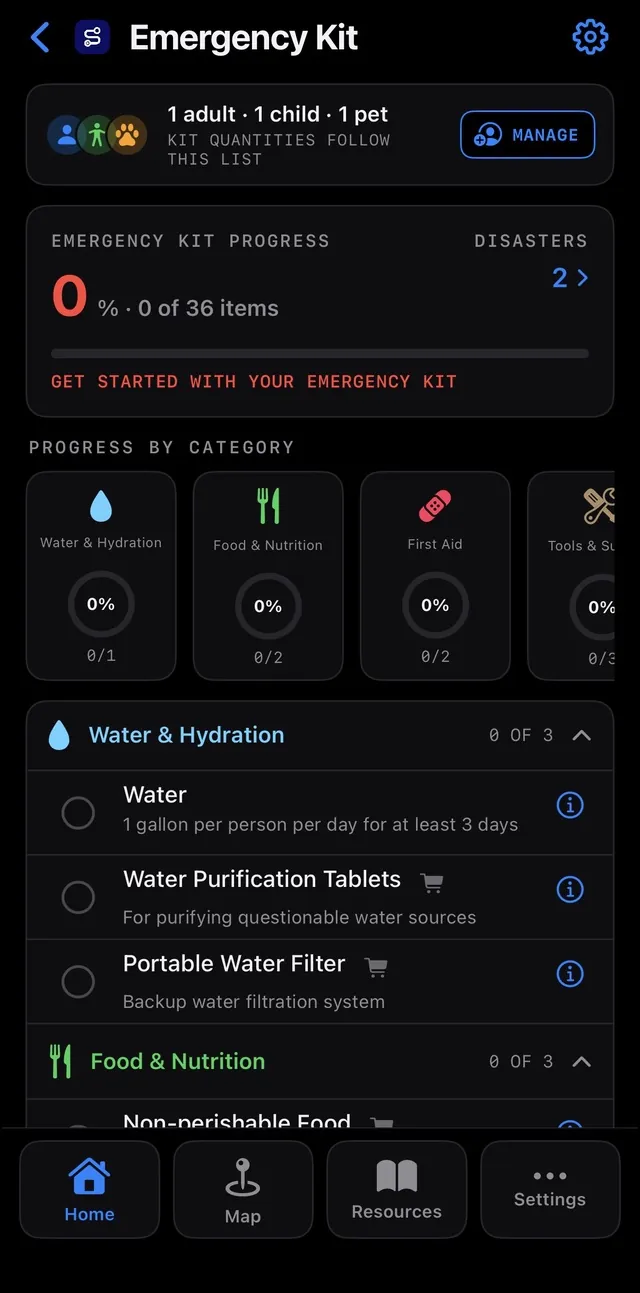
Work through supplies by category and track your progress for the people and pets in your household.
Use the home-safety checklist to organise the preparation you can do before something happens.
Browse the resources screen for emergency guides, shelter information and first-aid learning resources.
First-aid material is general information. It does not replace professional care or emergency services.
Read the relevant guides and practise your plan. Download SafePathApp to start preparing your household.
Eight recorded iPhone screens. Alerts, dates and readings are examples from the captures, not current conditions. The interface can change between versions.
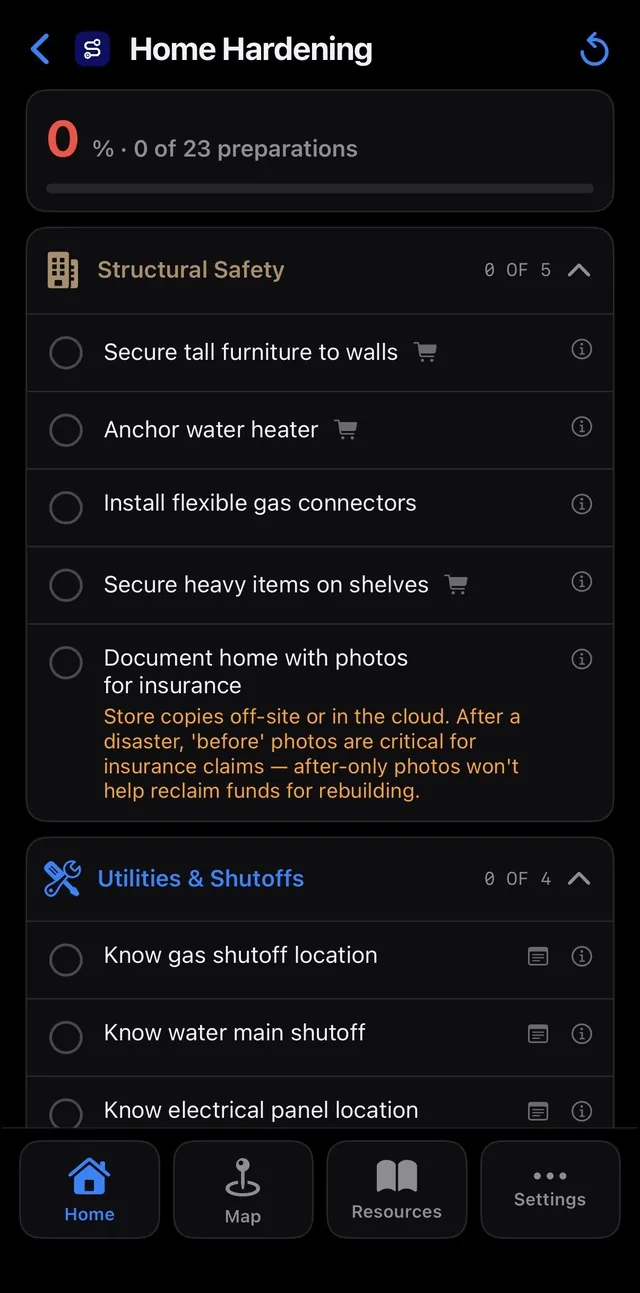
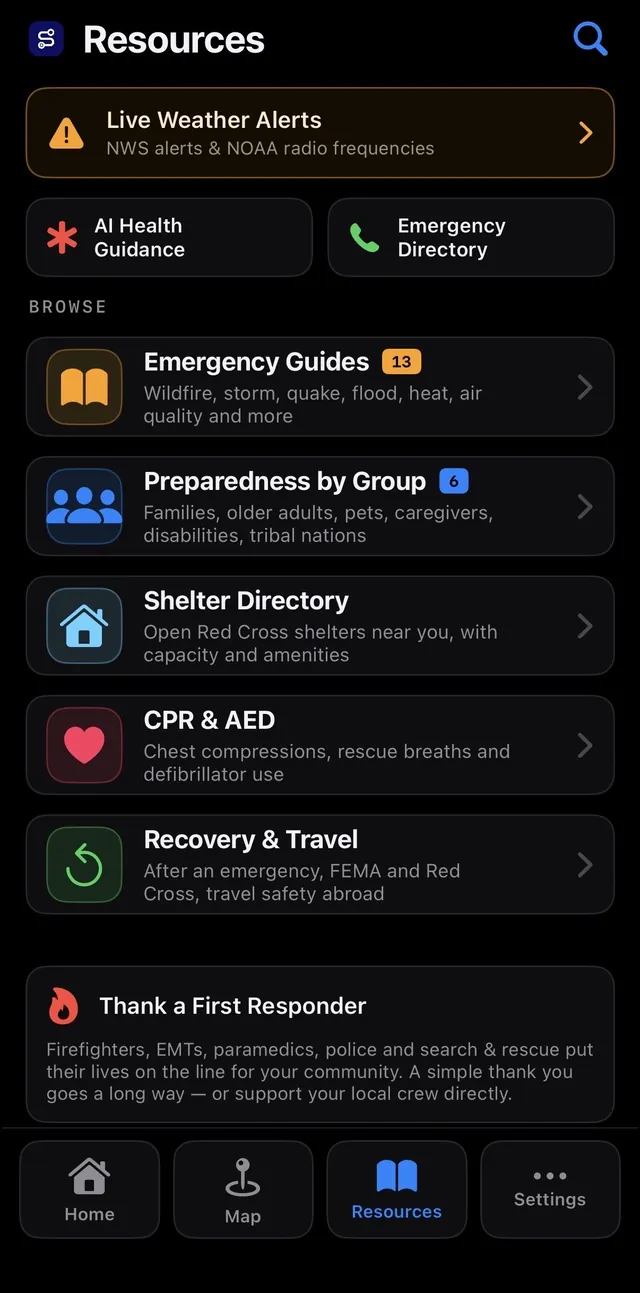
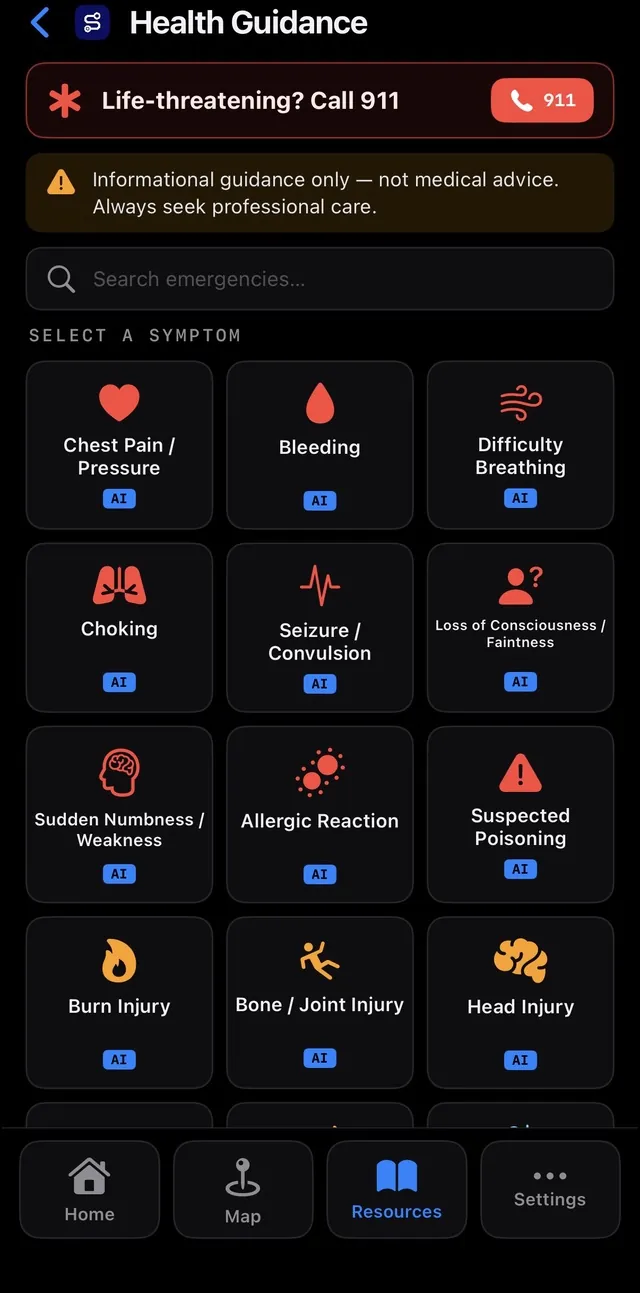
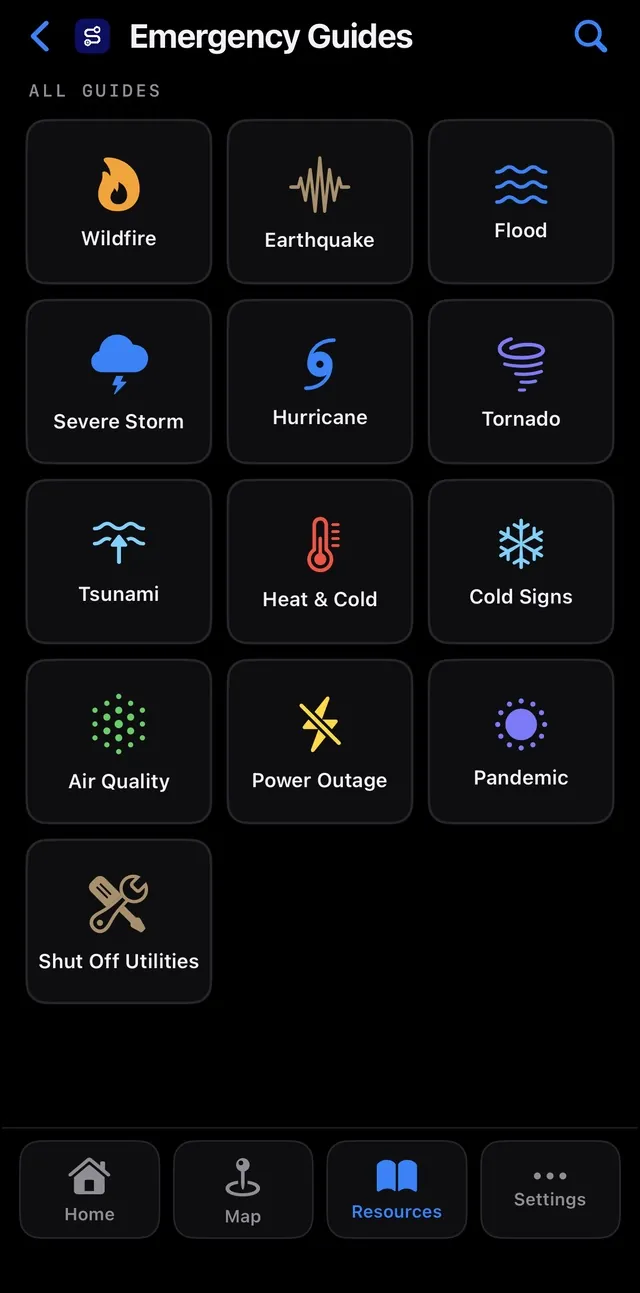
Keep the needs of adults, children and pets together, including the contacts and supplies you would want to find quickly.
Turn preparedness into smaller jobs: build the kit, record meeting points, check the home and practise the plan.
Bring available alerts, maps and air quality into one place, with official sources and local instructions as the authority.
Add the people, pets and contacts your plan needs to account for.
Review the emergency kit and home-safety lists, then agree on meeting points and responsibilities.
Check source timestamps, practise the plan and keep official local alert channels enabled.
Bring household members, pets, emergency contacts and meeting points into one plan. Use it to agree on responsibilities and practise what you would do before an emergency interrupts the day.
Work through supplies by category and track your progress. Your household’s people and pets provide the context, so a kit becomes a series of practical tasks instead of one overwhelming shopping list.
Explore available wildfire, earthquake and weather information on the map. Check the event’s source and timing alongside its location; a map with no reported event is not a safety guarantee.
Use available AQI information when planning the day and deciding which official guidance to read. Coverage and freshness depend on the source, and conditions can differ across a neighbourhood.
Maintain emergency contacts and home-safety tasks alongside the plan. Version 1.2 makes it easier to text individual contacts; you review and send messages through your device’s messaging service.
Download supported maps and review emergency resources ahead of time. Some saved information can remain available offline, while new alerts, current conditions and other online services still need a connection.
In informal feedback shared with Tehmina, people who have seen SafePathApp have described it as useful and well laid out.
Your profile, contacts, household details, routes and preparedness progress are stored locally. A limited set of app preferences can sync through iCloud.
Hazard queries send the location information needed for the request. If you enable push alerts, the service receives a device token, monitored locations and alert preferences. Some tools contact third-party providers; the privacy policy explains those flows.
Read the SafePathApp privacy policy and data sources, coverage and limitations.
Plus adds options such as monitoring more locations, additional downloaded map regions and expanded contact and sharing features. Check the in-app purchase screen for the current price in your country before subscribing.
Check price and device compatibility on the App Store
Last checked
SafePathApp started with something pretty simple: I want to be able to take care of my family when something goes wrong.
With wildfires, extreme weather, earthquakes, and other emergencies becoming something we have to think about more often, I realized I would much rather have the supplies we need sitting at home and never use them than find myself wishing I had prepared when it was already too late.
It became even more personal for me because my daughter has asthma. During wildfire season, checking the air quality isn't just something I'm curious about—it can determine whether she should spend the afternoon outside, whether I need to change our plans, or whether I should ask her school to keep her indoors.
As I started preparing our own family, I kept asking questions. What should actually be in an emergency kit? How much water do we need? What should I do during an earthquake or wildfire? What's the AQI right now? What should I grab if we have to leave quickly? What am I forgetting?
And eventually I thought: other parents, caregivers, neighbors, and families are probably asking the same questions.
That's how SafePathApp grew from something I wanted for my own family into something I wanted to share with everyone else's.
I want the app to make preparedness feel a little less overwhelming—to put the information, tools, checklists, alerts, and guidance I would want for my own family in one place, so you don't have to figure everything out in the middle of an emergency.
That's also why most of SafePathApp is free. I don't think basic information that can help someone protect their family should be hidden behind a paywall.
There is an optional paid plan, and its purpose is pretty straightforward: running SafePathApp costs money. Servers, data providers, APIs, continued development, and keeping information current all have ongoing costs. Supporting the paid plan helps me continue improving the app while keeping the core experience available to as many people as possible.
I'm still a parent thinking about the same things you are: Is my family prepared? Do I know what's happening around us? And if something happens today, will I know what to do?
SafePathApp is the app I wanted for my own family.
I hope it helps you take care of yours.
SafePathApp is an emergency preparedness app designed to help individuals and families plan ahead, stay informed, and navigate emergencies with greater clarity and confidence.
SafePathApp allows you to create a personalized emergency plan based on your household, including family members, pets, emergency contacts, and essential checklists.
SafePathApp provides notifications based on available data sources to help you stay aware of nearby events and changing conditions.
SafePathApp uses data from third-party and publicly available sources. While we aim to provide timely and helpful information, conditions may change rapidly and accuracy cannot be guaranteed.
No. SafePathApp is intended to complement—not replace—official guidance. Always follow instructions from local authorities and emergency services.
Some features, such as downloaded maps, emergency safety guides, and first-aid guides may remain accessible. However, real-time alerts and map-based features may require connectivity.
Subscriptions are billed through your Apple Account, not through SafePathApp. You can view, change, or cancel them in the Settings app on your device under your Apple Account subscriptions. Refund requests are handled by Apple.
Most of what SafePathApp stores stays on your device, so removing the app removes it. The Your choices section of the Privacy Policy covers the rest, including the preferences that sync through iCloud.
SafePathApp's checklists tell you what your household needs — this is the shortlist behind the most common items, the same products the app links to. Links go to Amazon.
As an Amazon Associate, I earn from qualifying purchases. Prices and availability are set by Amazon.
Shelf-stable meals for the home supply
View on Amazon ↗The backup when stored water runs out
View on Amazon ↗Lightweight water treatment for the go-bag
View on Amazon ↗The kit every checklist starts with
View on Amazon ↗Warnings that don't need the cell network
View on Amazon ↗One per person, plus spares
View on Amazon ↗The classic earthquake preparation
View on Amazon ↗Strapped before it shakes
View on Amazon ↗Smoke and carbon monoxide in one unit
View on Amazon ↗For the kitchen wall
View on Amazon ↗The second way out
View on Amazon ↗Lives next to the meter
View on Amazon ↗Start with a family checklist, then go deeper on wildfire planning and smoke. Each guide links to its sources and related preparation topics.
Calculate household supplies, assign backup roles and rehearse the plan in a 20-minute family conversation.
SafePathAppEvacuations are won before they start — Ready, Set, Go!, the difference between a warning and an order, and the decisions to make while the sky is still blue.
SafePathAppThe colors on the air quality map, decoded — what PM2.5 does, who needs to be careful sooner, and the official playbook for smoke days.
SafePathAppBuild the kit, add your contacts and make time to practise. SafePathApp supplements official alerts and emergency services.